When Does a Business Need a Web Application?
A practical guide to recognising when spreadsheets, disconnected tools and manual processes have become a constraint—and when a custom web application is the right next step.
 Written byMelo Forchu6 min read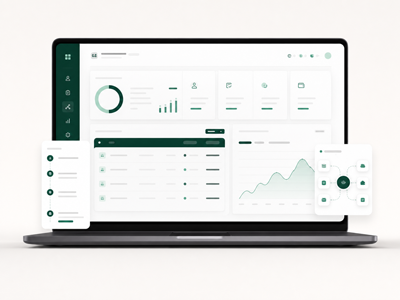
A website helps people understand your business. A web application helps them—or your team—do something.
That distinction matters. Many businesses do not need custom software when they begin. A clear website, dependable email and a few well-chosen tools may be enough. But as the business grows, work that once felt manageable can become slow, repetitive and difficult to control.
The question is not whether a web application sounds impressive. The useful question is whether your current way of working is beginning to limit service, visibility or growth.
What is a web application?
A web application is software that runs through a browser. Unlike a conventional marketing website, it allows people to sign in, enter or retrieve information, complete tasks and interact with business processes.
Online banking, customer portals, booking systems, internal dashboards and stock-management platforms are familiar examples. A web application can be used by customers, employees, suppliers or a combination of these groups.
Because it runs in a browser, users normally do not need to install anything. They can access the system securely from a laptop, tablet or phone, depending on how it has been designed.
Your team is managing the business through spreadsheets
Spreadsheets are useful and flexible. They often help a young business organise its first customers, orders, stock records or projects. Problems begin when several people need to update the same information, formulas become fragile, files are duplicated and nobody is certain which version is correct.
A web application can create one reliable source of information. Permissions can determine who may view or change each record, while an audit history can show what changed and when.
The goal is not to eliminate every spreadsheet. It is to move business-critical work into a system that is easier to trust and manage.
The same information is entered more than once
Re-entering customer details from an enquiry form into a spreadsheet, an invoicing tool and a delivery schedule wastes time and creates opportunities for errors.
When the same data repeatedly moves between people or systems by hand, a web application may be able to connect the process. An enquiry can become a customer record, create a task for the right team member and trigger a confirmation message without requiring someone to copy every field.
Automating this type of routine work gives employees more time for decisions and customer service.
Customers regularly ask for information your team must look up
Questions such as “What is the status of my order?”, “Can I download my invoice?” or “When is my appointment?” are reasonable. But answering them manually becomes expensive at scale.
A secure customer portal can allow clients to view progress, update details, retrieve documents, submit requests or make payments when it suits them. This does not remove the human relationship. It removes unnecessary waiting and lets the team focus on conversations where personal support creates real value.
Your process depends on one person
Some businesses have an employee who knows where every file lives, remembers every exception and quietly keeps the operation moving. That expertise is valuable, but the business becomes vulnerable when the process exists mainly in one person’s memory.
A well-designed application can turn knowledge into a repeatable workflow. It can guide users through required steps, enforce important checks and make the current status visible to authorised people.
The system should support good judgement—not attempt to replace it.
Existing software no longer fits the way you work
Before commissioning a custom application, it is sensible to consider established software. Accounting, email marketing and general customer-relationship tools solve common problems well.
Custom development becomes more relevant when the way your business creates value is genuinely different, or when forcing your process into an off-the-shelf platform creates more work than it removes.
It may also make sense when several subscriptions only solve fragments of one process, integrations are unreliable, or a generic platform cannot provide the customer experience your business needs.
Growth is creating operational strain
A process that works for twenty orders a month may collapse at two hundred. Warning signs include longer response times, frequent mistakes, missed follow-ups and managers spending their days checking whether routine work happened.
A web application can make capacity less dependent on adding administrative effort at the same rate as revenue. This is one of the strongest reasons to invest: the system supports growth without allowing complexity to grow unchecked.
You need better operational visibility
Important decisions are difficult when reports arrive late or different departments use different figures.
A web application can bring operational data together and present relevant measures through dashboards and reports. The value is not the visual chart itself. The value is having timely, consistent information that helps the business respond sooner.
Good reporting begins with clear definitions. Before development, the team should agree on what each measure means and which decision it is intended to support.
When a web application is probably not the answer
Custom software is not automatically the best option. You may not need it when the process is still changing every week, only one or two low-frequency tasks are involved, an affordable existing product already solves the problem, or the expected benefit cannot justify development and ongoing maintenance.
In these situations, improving the process or configuring an existing tool may be the smarter move.
Development should follow clarity. Building too early can turn an uncertain process into expensive code.
Start with the business problem
A useful discovery process examines the people involved, the current workflow, recurring friction, security requirements, necessary integrations and the result the business needs.
The first version should usually focus on the smallest complete workflow that creates meaningful value. Additional features can follow evidence from real use. This reduces risk and makes it easier to learn before committing to a large platform.
A practical decision test
Consider a web application when several of these statements are true:
Your team repeats the same administrative work every day.
Customer service depends on manually retrieving routine information.
Important data is split across spreadsheets, inboxes and disconnected tools.
Mistakes or delays are affecting revenue, trust or compliance.
The business cannot obtain a clear real-time view of operations.
An established product cannot support a process that differentiates your business.
Growth will make the current approach significantly harder to manage.
If only one minor inconvenience applies, custom development may be premature. If several apply and the cost of the problem is increasing, it is worth investigating.
The right application should make the business feel simpler
A successful web application is not measured by the number of features it contains. It is measured by whether customers complete tasks more easily, employees spend less time on avoidable work and leaders gain better control of the operation.
Cognify helps businesses examine the problem, define a focused first version and build dependable web applications around real operational needs. If your current tools are beginning to hold the business back, a structured discovery conversation can clarify whether custom software is the right next step.
Melo Forchu
Digital Product StrategistSenior Consulting Business Intelligence Analyst | AI & Data Engineer. Holds a Masters in Informatics, 4X Cloud Certified PL-300, AI-102,DP-600,DP-700, CDMP